Clipmark
Screenshots, markup and screen recording for Windows 11
About Clipmark
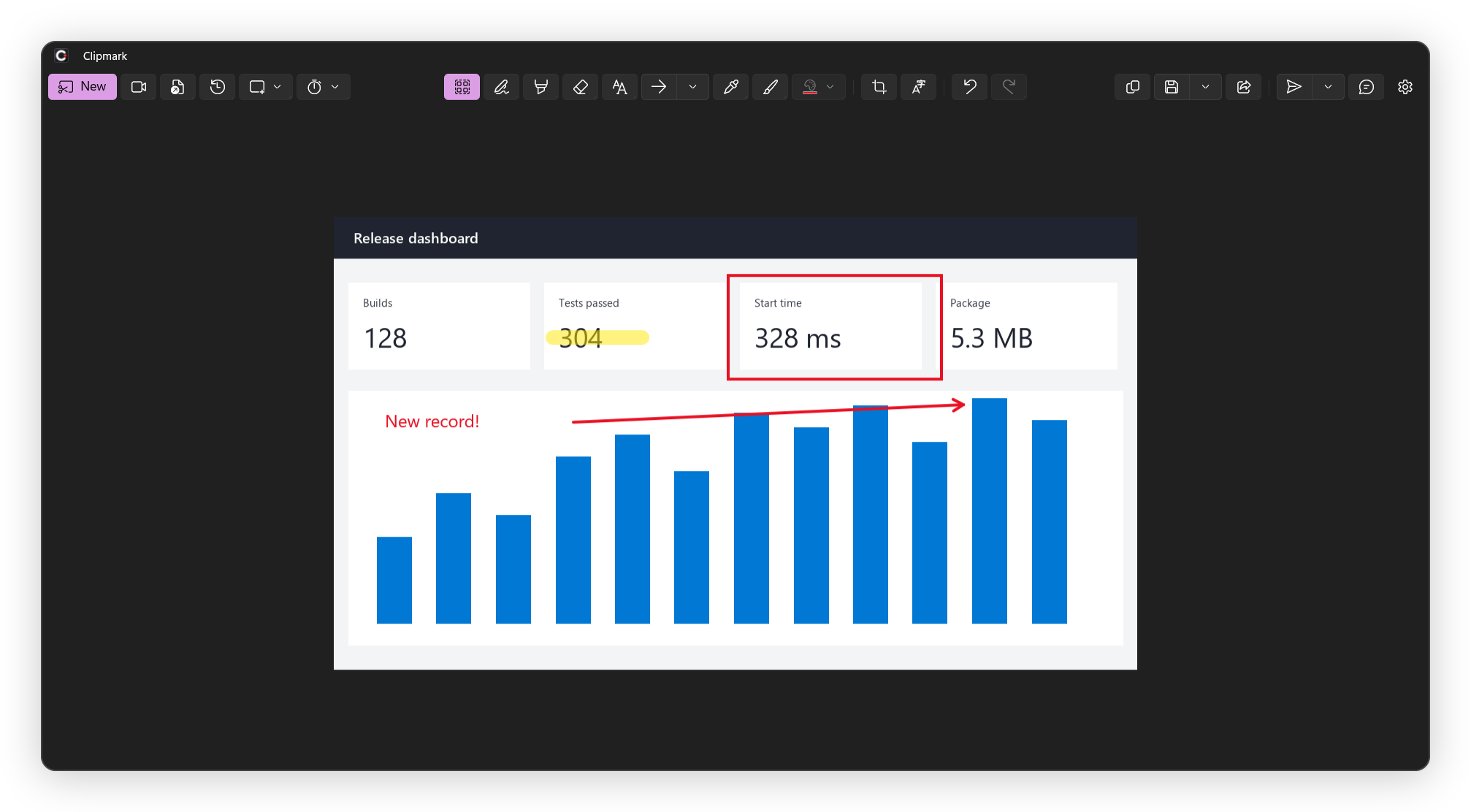
I built Clipmark because I wanted the Snipping Tool plus the things I kept missing: markup that stays editable, OCR, redaction and a recorder, in one tray app. Ctrl+Print Screen opens it. What it does: rectangle, window, full screen, all monitors and freeform capture, with a delay option and a color picker. Pen, highlighter, shapes, arrows, crop. Save as PNG or JPEG, copy, share, print. Copy recognized text or a whole table out of a capture. Quick redact blacks out email addresses, phone numbers, IPs, bank data and passwords (best effort, check before you share). Record a region or a screen to MP4 with system audio and microphone, GIF from the first 30 seconds. Premium adds editable objects, text labels, an editable PNG format, capture history and Send to AI / Ask AI. Every install gets 30 days of Premium, after that 3.99 EUR a month through Stripe, cancel any time. Windows 11 x64 only, no Windows 10. Source is on GitHub under the Elastic License 2.0: github.com/IT-BAER/clipmark
Explore Clipmark
0 articlesPractical guides for this product will appear here as they are published.
See it in action
Screenshots, markup and screen recording for Windows 11
A product walkthrough, supplied by the maker.
Watch on YouTube